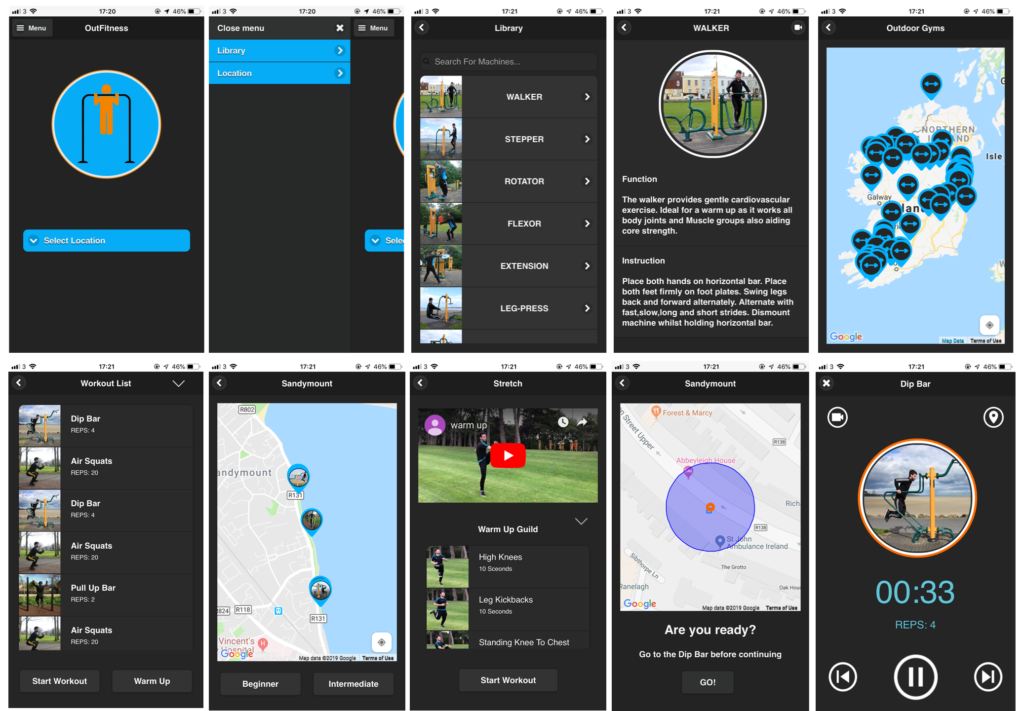
The First type of reach method that was applied is online surveys. The main reason for starting off with a survey is that it is a fast way to obtain answers regarding my mobile application. It helped me gather fast accumulation of data from the users. I used the software programme “Survey Monkey” to construct the survey. I prepared seven questions relating to my mobile application. Some of the questions have the option for the user to comment on the reasons for their decisions.. Below there are a series of some of the questions that were in the survey.
SURVEY MONKEY QUESTIONS
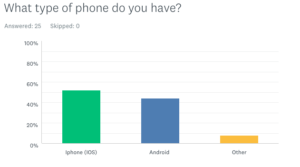
Question one: What type of phone do you have ?
Reason behind the question: The reason why I picked this particular question is to find out what model phone I should build my mobile application for .
Feedback: Out of the 25 user responses, 13 users selected Iphones as their device. This gave me an idea on what platform I should build for my final design.
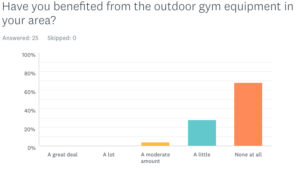
Question two: Have you benefited from the outdoor gym equipment in your area? If not, please state why?
Reason behind the question: I chose question two, to find out if people were getting use of the outdoor equipment, with the option to leave a comment stating why they didn’t. This gave me the opportunity to find out what people could be missing during their outdoor gym experience.
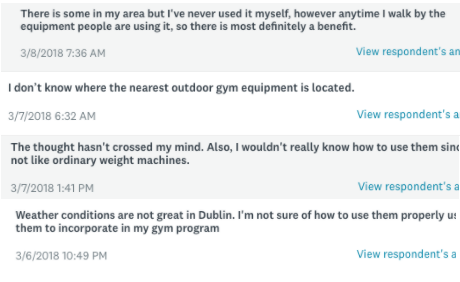
Feedback: This question gave me good feedback with the opportunity for people to state why they did not benefit. 15 out of 25 left comments.Some of the data gave me useful user requirements, which I implemented into my final design. Below are four particular comments I found helpful. These comments suggest people are not to sure of the location of the outdoor gyms and people could do with workout programmers to go alongside the machines.
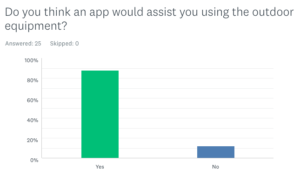
Question three: Do you think an app would assist you in using the outdoor equipment? If yes, please state why?
Reason behind the question: Before constructing this app, I wanted to know if the users would use the outdoor gyms more often if there were an app available. I left the option to leave a comment if selecting yes, to give me a better understanding.
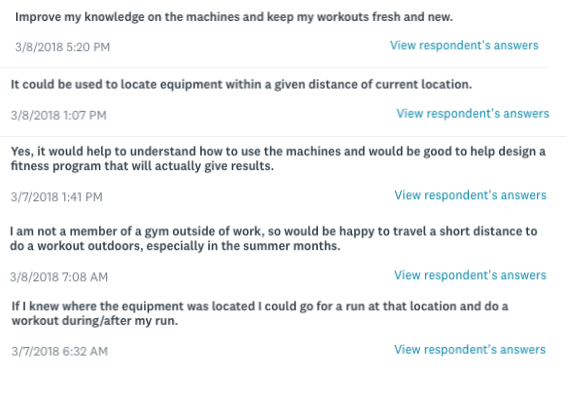
Feedback: With 88 percent of users saying yes, this gives me a good reason to build the app. 18 out 25 users left comments stating why they thought the app would assist them. Below are a sample of five answers out of the 18.
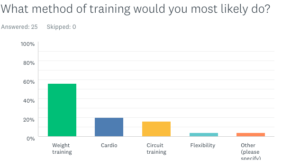
Question four: What method of training would you most likely do?
Reason behind the question: This particular question will allow me to form a better understanding of what types of training people do and how I can incorporate it into my mobile application.
Feedback: This question was created to find out what type of workouts I should have in the workout. Since a majority selected weight training, I kept this in mind to add body weight training into the workout programmes.
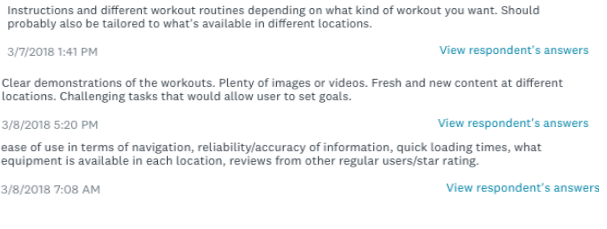
Question five: In your opinion, what would be the most important requirement to have in an outdoor gym app?
Reason behind the question: Question five, allowed me to assess what the user thought was the most important requirement to have.
Feedback
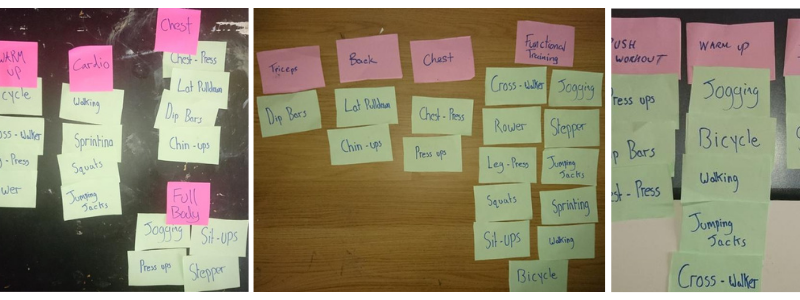
Three users individually took part in the open card sorting. The users were given 16 cards with a workout exercise per card. They were asked to make groups depending on the relationship of the item and then make a header per group. This method was to help me understand how to pair exercises together in a workout program.
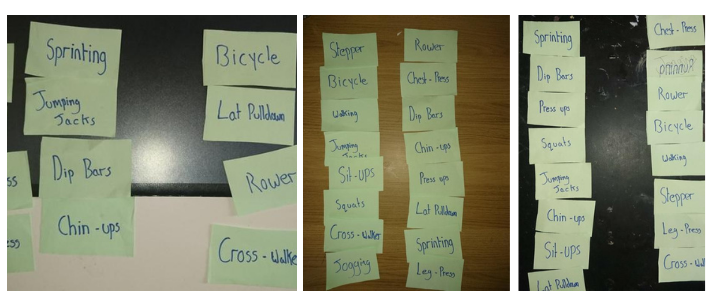
Closed card sorting, the users were giving 16 cards with the exercises written onto cards. Each user was asked to group them into two categories beginner and intermediate. There will be two categories in the outdoor gym app beginner and intermediate so I used the opportunity to find out what users would select as the two categories. Below are my findings of the two groups. User one left (beginner) User two right side (intermediate) of each of the three images.
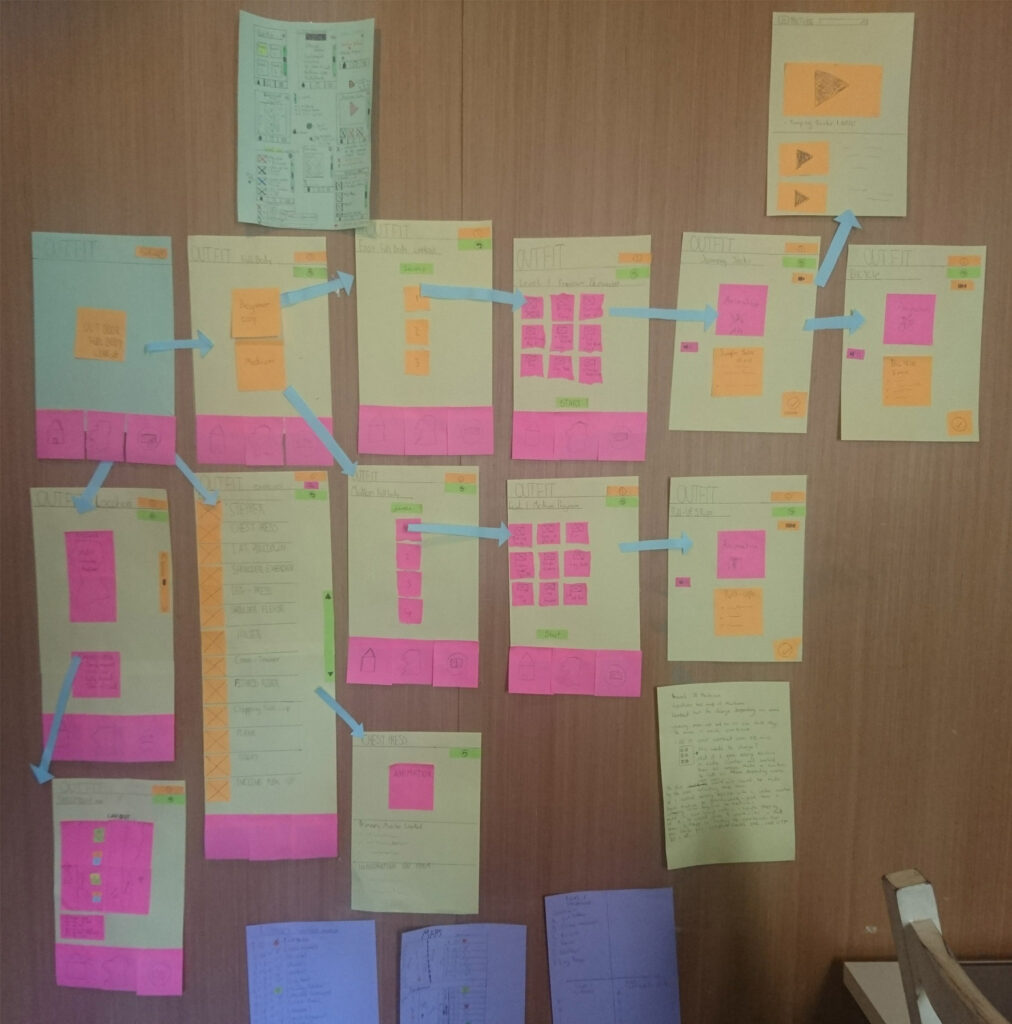
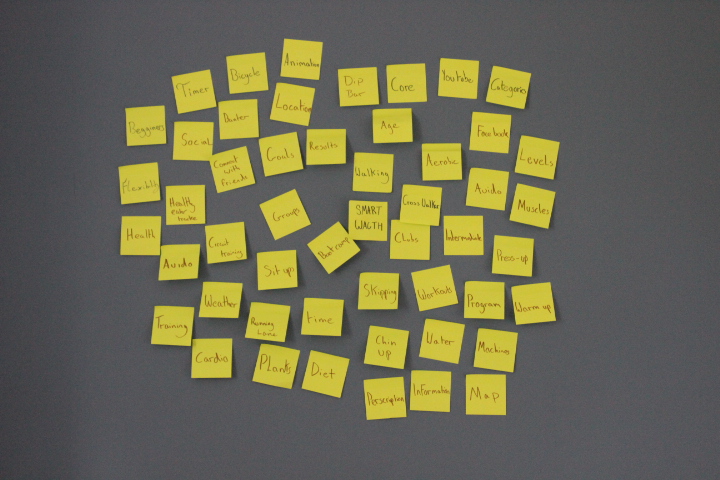
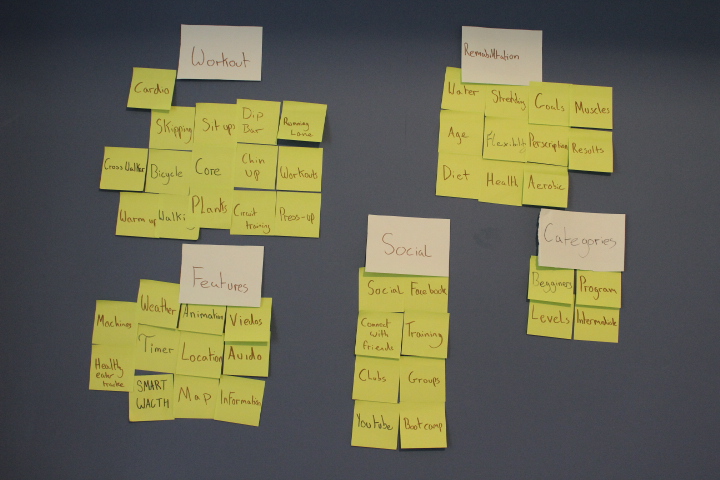
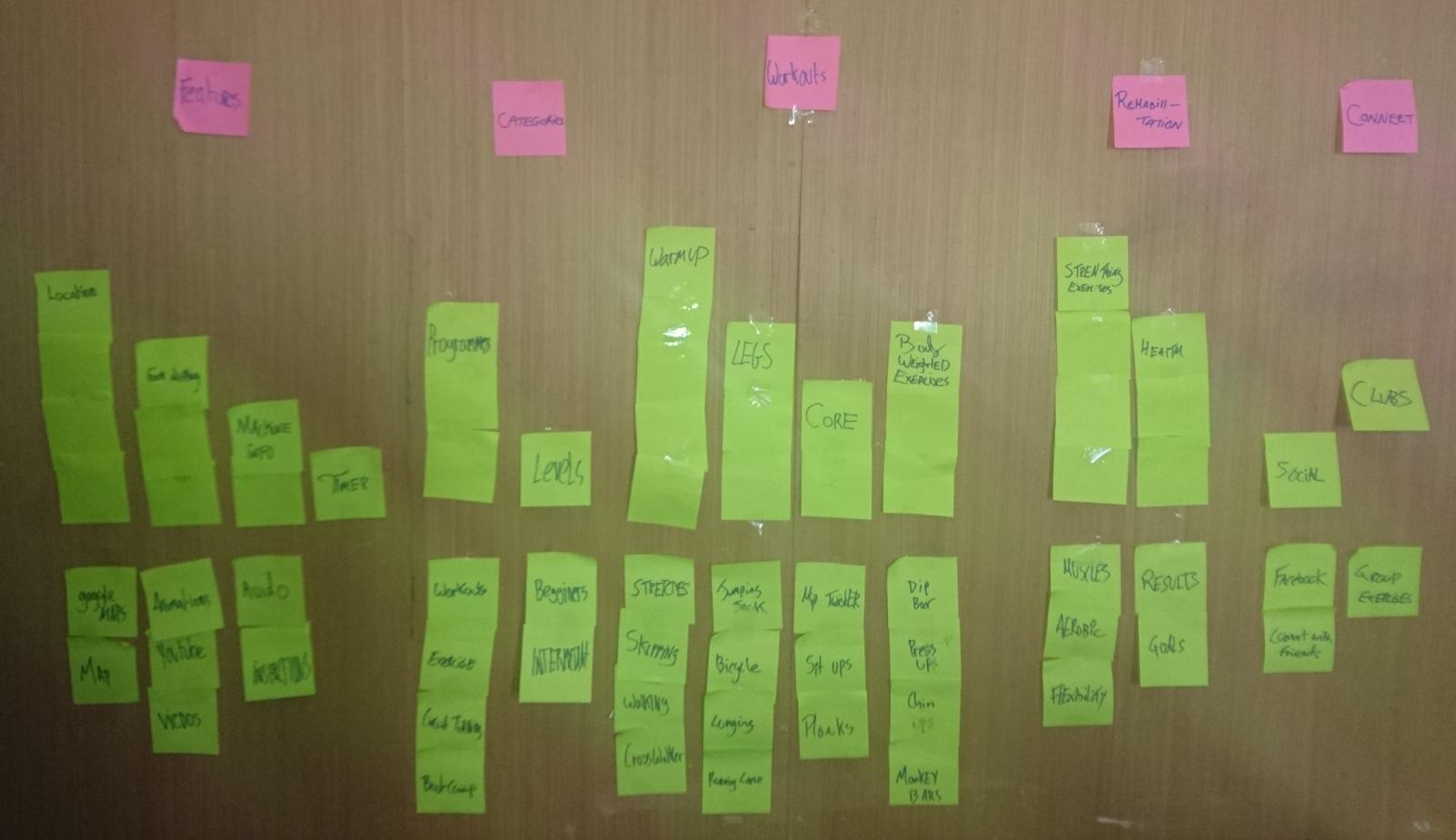
During this form of testing I had four users (myself included). The group were told to write single words about the outdoor gym training on sticky paper. Once the group couldn’t think of any more words, we started to separate words into groups based on similar relationships. Once groups were formed, we spoke about the patterns and how we could structure items in order of importance. The group noticed some words were no longer needed once groups were formed. The outcome of the Affinity Diagrams gave me knowledge of what users think should be in the outdoor gym app. It was a great way to develop new ways of thinking. Affinity Diagrams helped me gather many user requirements and form a better understanding of how I will build a mental model.
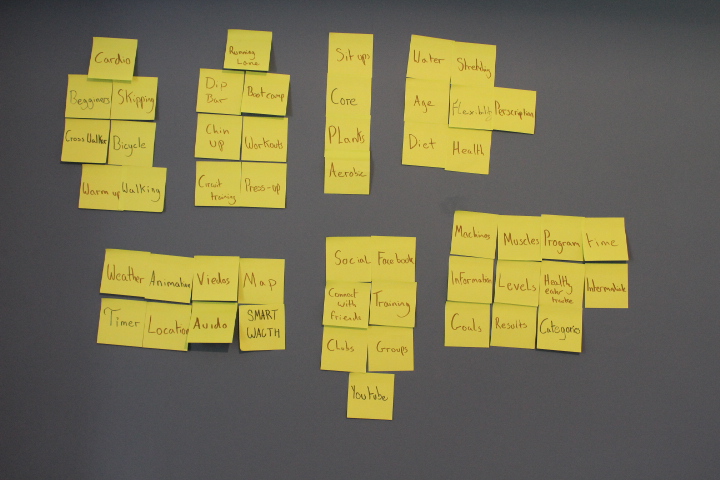
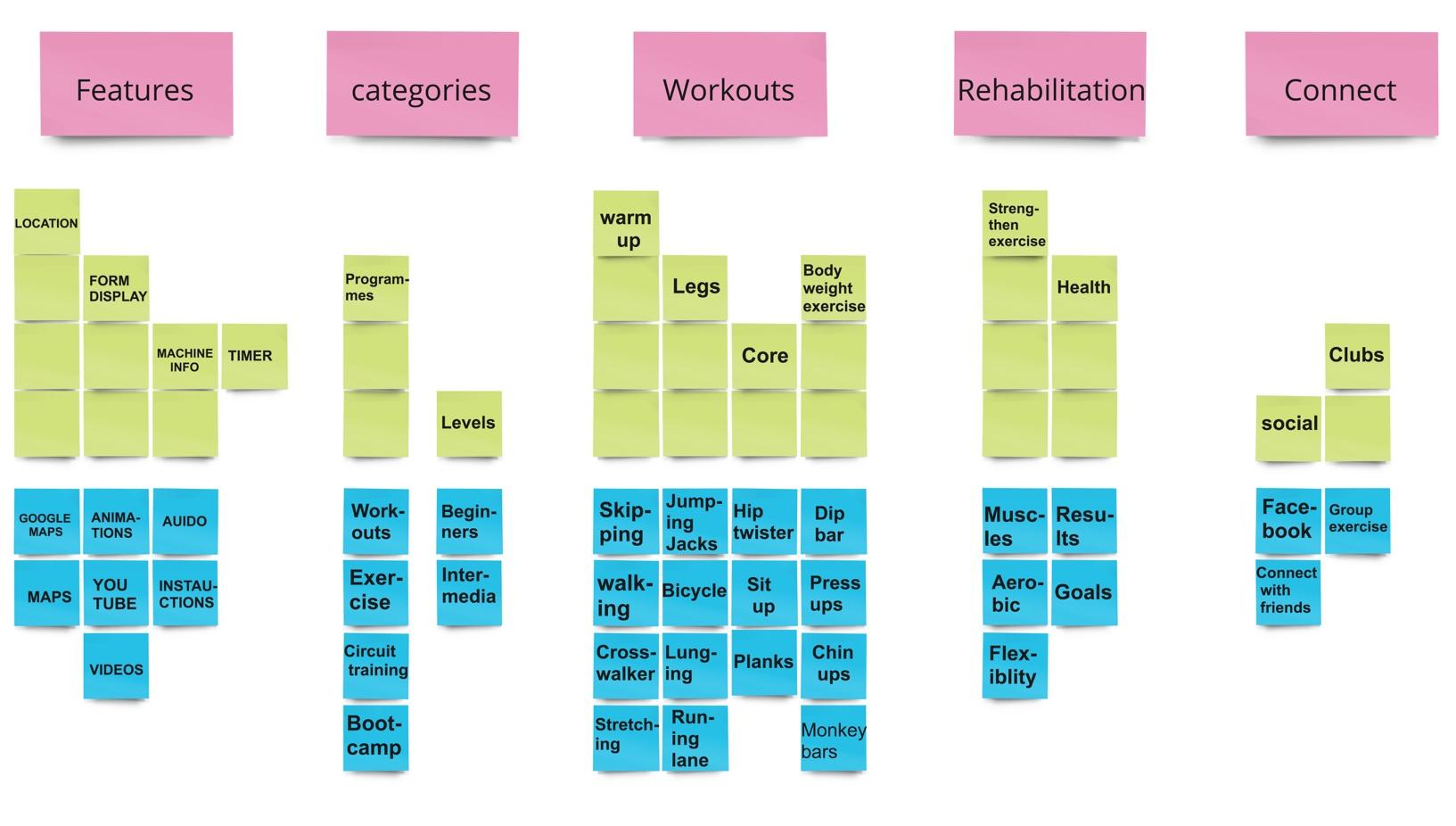
This mental model was built with the help of the user requirements obtained from Affinity Diagrams. It shows the process ranked in a higher hierarchy depending on its value. This was a rough version made with sticky paper to show the overall system. Main categories (features, categories, workouts, rehabilitation and connections) within each category. At the top are the interactive buttons which the app will have and below is the content that would be useful for interactive buttons to show that behaviour. This mental model has given me an organised system of how I could design my final app.
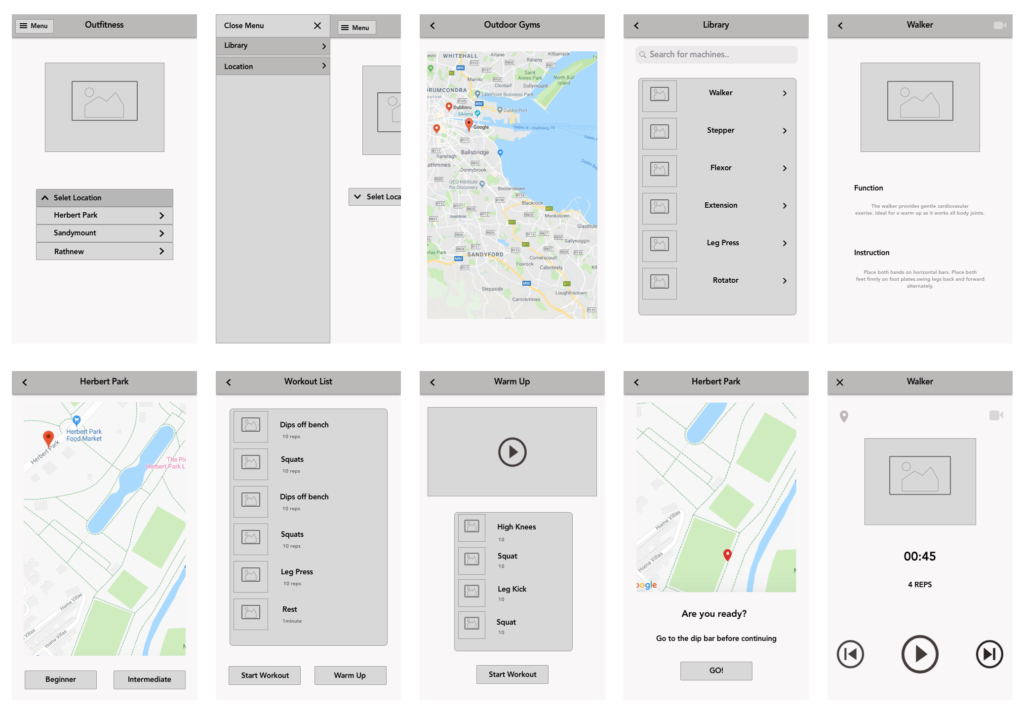
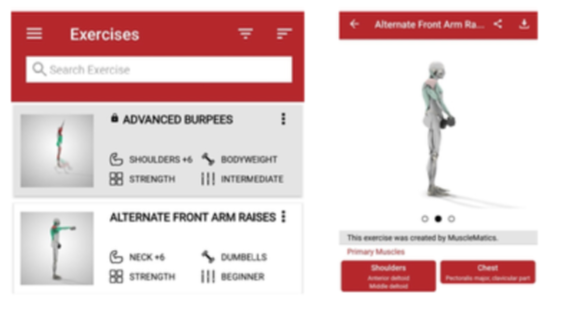
From the Musclematices app, I used how they displayed the list view with a picture of the exercise beside each one. Having the option for the user to click into the exercise to find out more detail about the exercise through videos, text and audio.
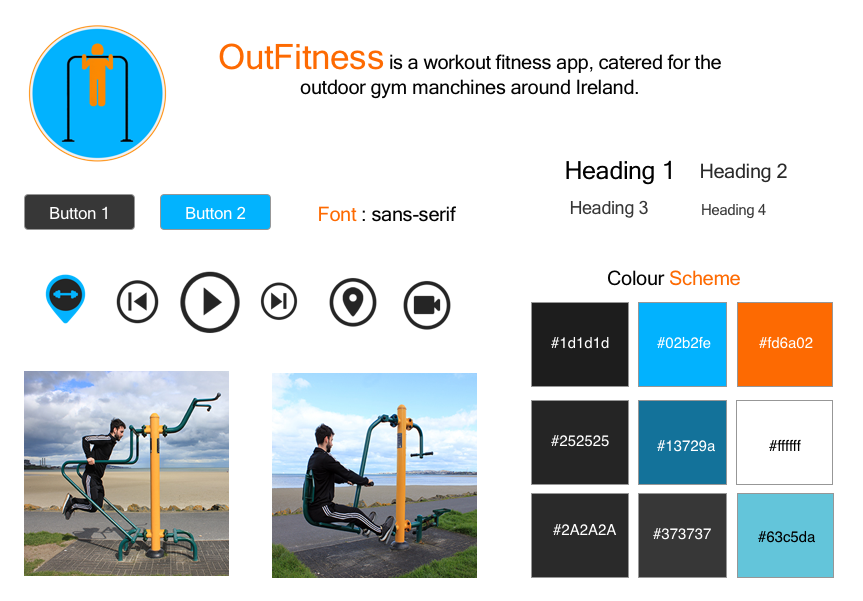
From the 30-day fitness challenge app I had focused on the audio and UI design. In particular how the app was able to set up two different voices during the workout. When designing my app, I took into consideration the simple UI and how it interacts with the user.
Another key feature I used in my app was how they went about using the audio. The first audio voice plays at the start of every exercise describing how to do the exercise then stops. The second audio voices tell how to make the exercise harder or what you can do to help you improve the exercise.
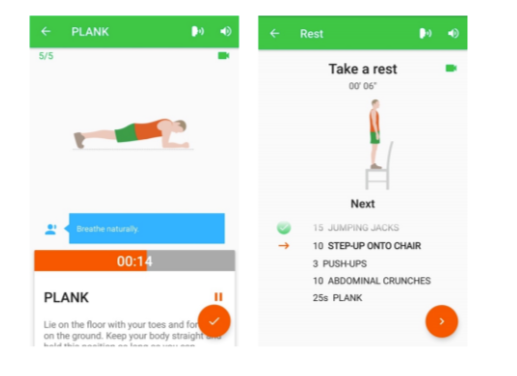
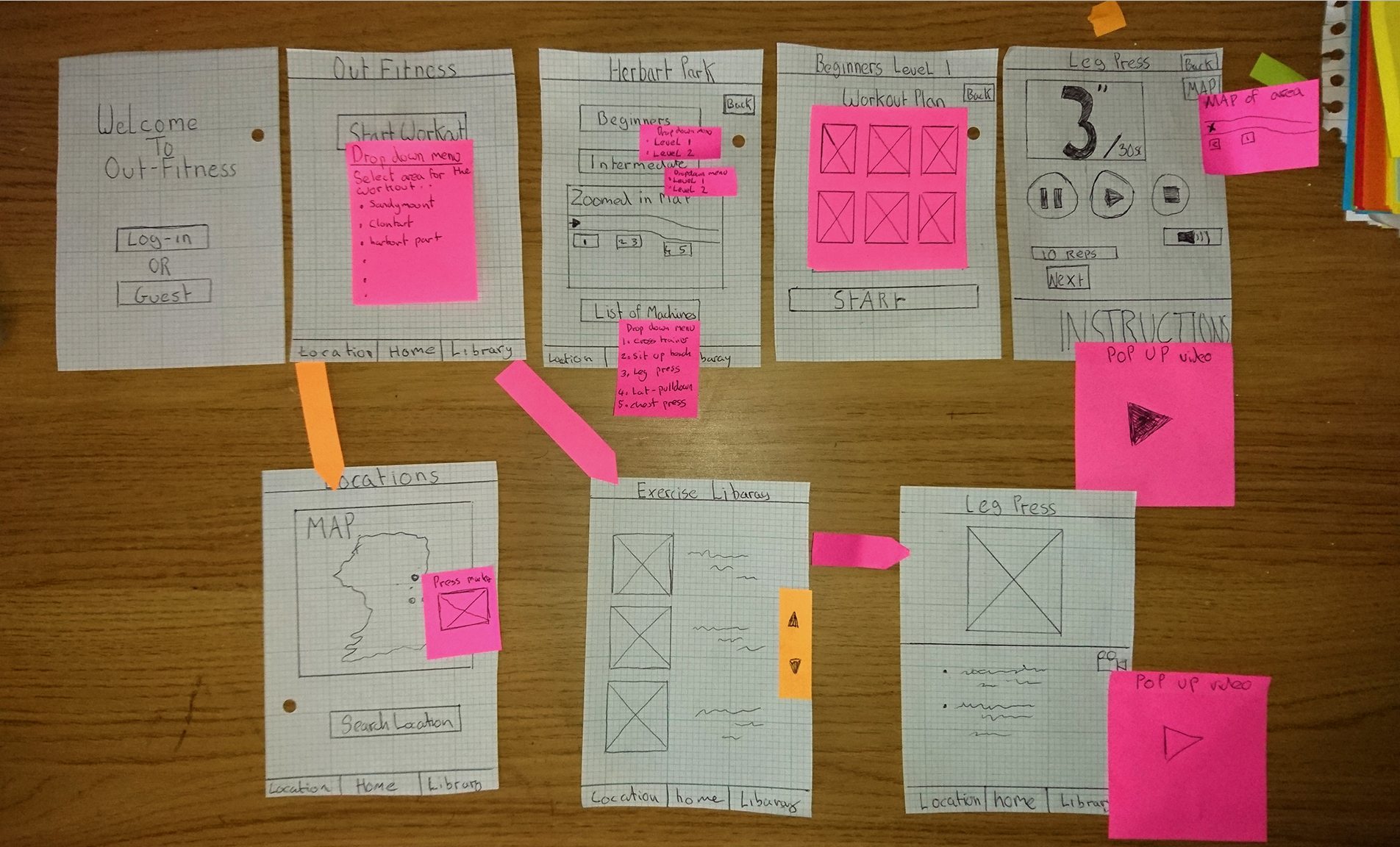
The Johnson & Johnson official 7-minute workout app has a few elements that have been included in my final design. Firstly, there is a simple UI mainly with the blocky buttons and with the video placed in the middle with a circle framing the video. Instead of a video, I have used an image in the middle of the circle in my design. Another feature was how many button clicks it takes the user to reach a workout. In my final design, I have tried to narrow down the button clicks as much as possible. Finally, I take notice of the audio feedback. The app acts as a coach while training.